
斐讯k2p路由器安装frpc客户端(安装frps服务端同理)
- 其他
- 2022-02-18
- 290热度
- 0评论
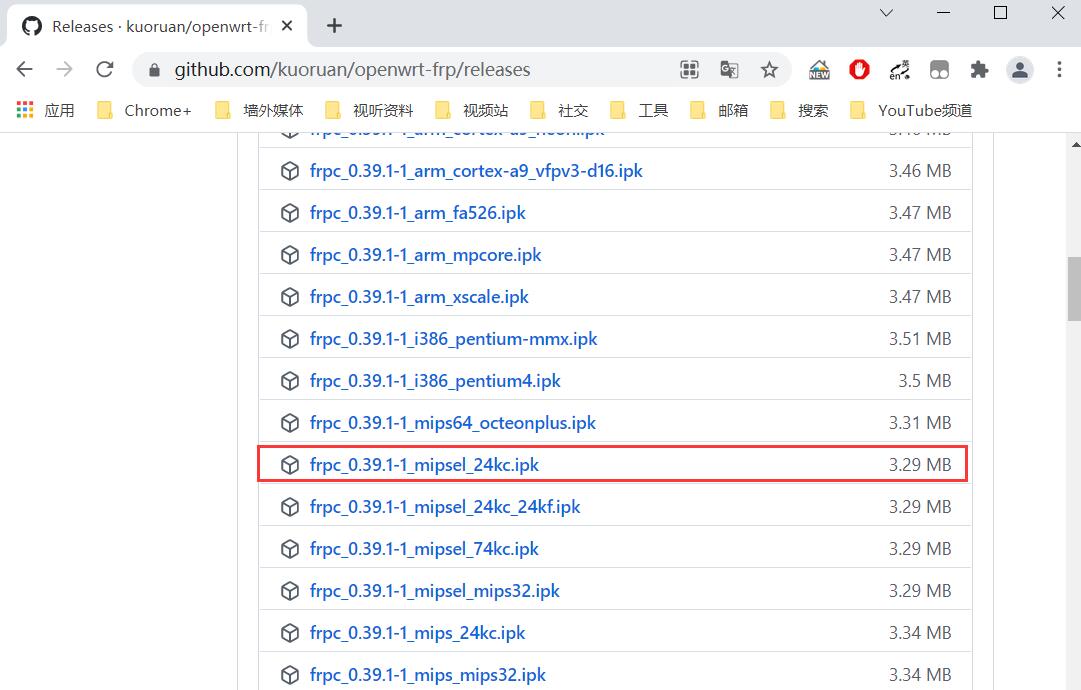
1、根据路由器架构选择frpc安装包版本,这里使用的是斐讯k2p银色版本,所以选择 frpc mipsel_24kc 安装包。
参考:
斐讯K2P金色与银色版的区别:https://www.acwifi.net/3261.html
OpenWrt Wiki 硬件表格:https://openwrt.org/zh/toh/views/toh_packagedownload
2、下载安装包,github地址:https://github.com/kuoruan/openwrt-frp/releases
wget https://github.com/kuoruan/openwrt-frp/releases/download/v0.39.1-1/frpc_0.39.1-1_mipsel_24kc.ipk
3、ssh连接到路由器,安装frpc客户端
opkg install frpc_0.39.1-1_mipsel_24kc.ipk
4、编辑 frpc.ini 文件内容:
[common]
server_addr = 服务端域名或IP
server_port = 服务端端口
token = 密码
start = test
[test]
type = tcp
local_port = 8089
remote_port = 27006
5、启动 frpc
./frpc -c ./frpc.ini
6、设置开机启动 frpc
vim /etc/init.d/frp
#文件内容
#!/bin/sh /etc/rc.common
# Copyright (C) 2006-2011 OpenWrt.org
START=99
start() {
sleep 60; nohup /usr/bin/frpc -c /etc/frp/frpc.ini >/root/nohup.out 2>&1 &
}
stop() {
kill -9 `ps | grep '/usr/bin/frpc' | grep -v 'grep' | awk '{print $1}'`
}
#开启开机启动
/etc/init.d/frp enable
#重启生效
reboot



 鲁ICP备19063141号
 鲁公网安备 37010302000824号