
Centos7 常用命令
- Linux
- 2023-06-01
- 1061热度
- 0评论
查看操作系统:
cat /etc/redhat-release
lsb_release -a (Ubuntu)
查看CPU架构信息
lscpu
查看CPU信息(型号)/查看处理器个数:
cat /proc/cpuinfo | grep name | cut -f2 -d: | uniq -c
查看内存占用:
free -h
查看磁盘使用情况:
df -h
查看当前目录下各个文件大小:
du -sh *
查看 tomcat 是否启动:
ps -ef|grep tomcat
杀死进程:
kill -9 PID
根据进程名结束进程:
1、pkill 进程名
2、killall 进程名
3、ps -ef | grep 进程名 | grep -v grep | awk '{print $2}' | xargs kill
说明:
ps -ef:列出所有进程
grep 进程名:查找指定进程名的进程
grep -v grep:不显示带有grep的进程(也就是本条grep命令对应的进程)
awk '{print $2}':筛选出进程的ID
xargs kill:杀死指定进程
CPU占用过高排查:
1、根据进程pid查询最占资源的线程:
top -H -p 11748
2、10进制转16进制:
printf "%x\n" 12261
3、根据进程pid、16进制线程pid查询:
jstack 11748|grep 2fe5 -A 20
查询域名解析:
nslookup www.baidu.com
查询端口占用情况:
netstat -anp | grep 6379
lsof -i :6379
查询可执行文件路径:
which nginx
通过 PID 定位可执行文件:
ls -l /proc/{PID}/exe
防火墙相关:
查看防火墙状态:
systemctl status firewalld
启用开机自启:
systemctl enable firewalld.service
禁用开机自启:
systemctl disable firewalld.service
关闭防火墙:
systemctl stop firewalld
开启防火墙:
systemctl start firewalld
配置防火墙端口:
开放端口:
firewall-cmd --zone=public --add-port=8888/tcp --permanent
关闭端口:
firewall-cmd --zone=public --remove-port=8888/tcp --permanent
查看端口状态:
firewall-cmd --query-port=8888/tcp
查看开放的端口:
firewall-cmd --list-ports
重新加载配置:
firewall-cmd --reload
端口转发:
设置环境变量:
1、vim /etc/profile,增加以下内容:
export DOTNET_ROOT=/home/aspnetcore-runtime-6.0.32-linux-x64
export PATH=$PATH:$DOTNET_ROOT
2、生效环境变量:
source /etc/profile
3、查看环境变量:
env|grep PATH
4、查看安装信息:
dotnet --info
文件传输:
yum install lrzsz
ZIP文件解压:
#安装 unzip
yum install unzip
#解压单个zip文件
unzip file.zip
#解压到指定目录并覆盖同名文件
unzip -o file.zip -d 目标目录
创建软链接:
ln -s /home/UploadFile/ /home/JianGong_A/wwwroot/upload
rm -rf /home/JianGong_A/wwwroot/upload
清空历史记录:
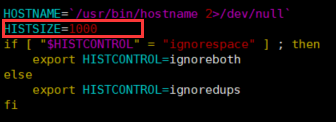
echo > ~/.bash_history ; history -c
常用系统:
- Ubuntu 22.04、Ubuntu 24.04
- Debian 12
- CentOS 7.9(停止维护)

 鲁ICP备19063141号
 鲁公网安备 37010302000824号