
Docker镜像打包并推送至远程仓库
- Docker
- 6小时前
- 23热度
- 0评论
一、Dockerfile 示例文件:
FROM python:3.11-alpine

WORKDIR /app
ENV PYTHONUNBUFFERED=1 \
    PYTHONDONTWRITEBYTECODE=1

# 依赖单独一层,改代码时不用重装
COPY requirements.txt .
RUN pip install --no-cache-dir -r requirements.txt

# 只拷运行需要的文件
COPY wxpush.py ./
COPY templates ./templates

CMD ["python", "wxpush.py"]
二、构建并推送到 hub.docker.com:
1、构建
docker build -t wxpush:1.0 .
2、本地验证
docker run --rm -p 80:80 \
  -e WX_APPID=<你的APPID> -e WX_APPSECRET=<你的APPSECRET> -e API_KEY=<你的APIKEY> \
  wxpush:1.0

curl -X POST http://127.0.0.1:80/api/send -H "X-API-Key: ..." -H "Content-Type: application/json" -d @body.json
3、打标签
注:必须带 Docker Hub 用户名,否则 push 报 denied。
docker tag wxpush:1.0 <你的用户名>/wxpush:1.0
docker tag wxpush:1.0 <你的用户名>/wxpush:latest
4、登录
docker login
5、推送
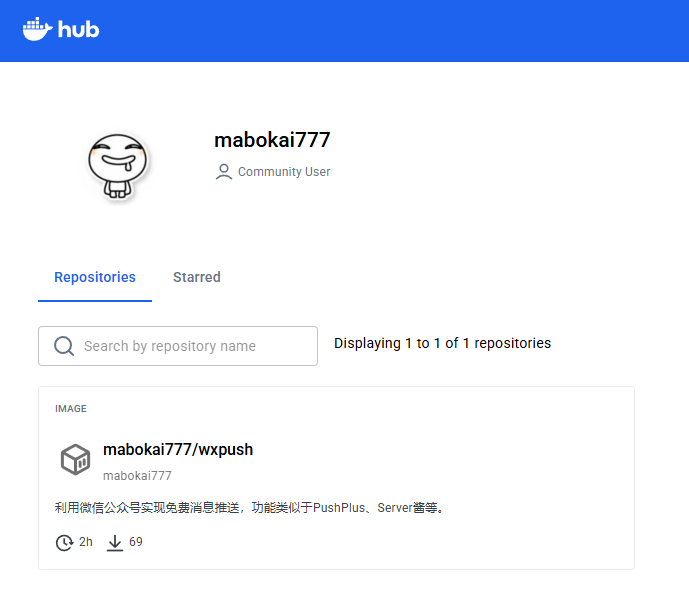
可先在 https://hub.docker.com 上 Create repository,名字填 `wxpush`,确认可见性是 Public 还是 Private。
docker push <你的用户名>/wxpush:1.0
docker push <你的用户名>/wxpush:latest
6、使用
docker run -d --name wxpush -p 80:80 \
  -e WX_APPID=<你的APPID> \
  -e WX_APPSECRET=<你的APPSECRET> \
  -e API_KEY=<你的APIKEY> \
  --restart unless-stopped \
  <你的用户名>/wxpush:latest


 鲁ICP备19063141号
 鲁公网安备 37010302000824号