
IIS http自动跳转到https
- .Net
- 2020-08-27
- 174热度
- 0评论
IIS7需要先安装 URL REWRITE2 伪静态模块
方式一:
1、IIS内选择站点,双击“URL 重写”,英文版的应该是“Url rewrite”

2、添加“空白规则”
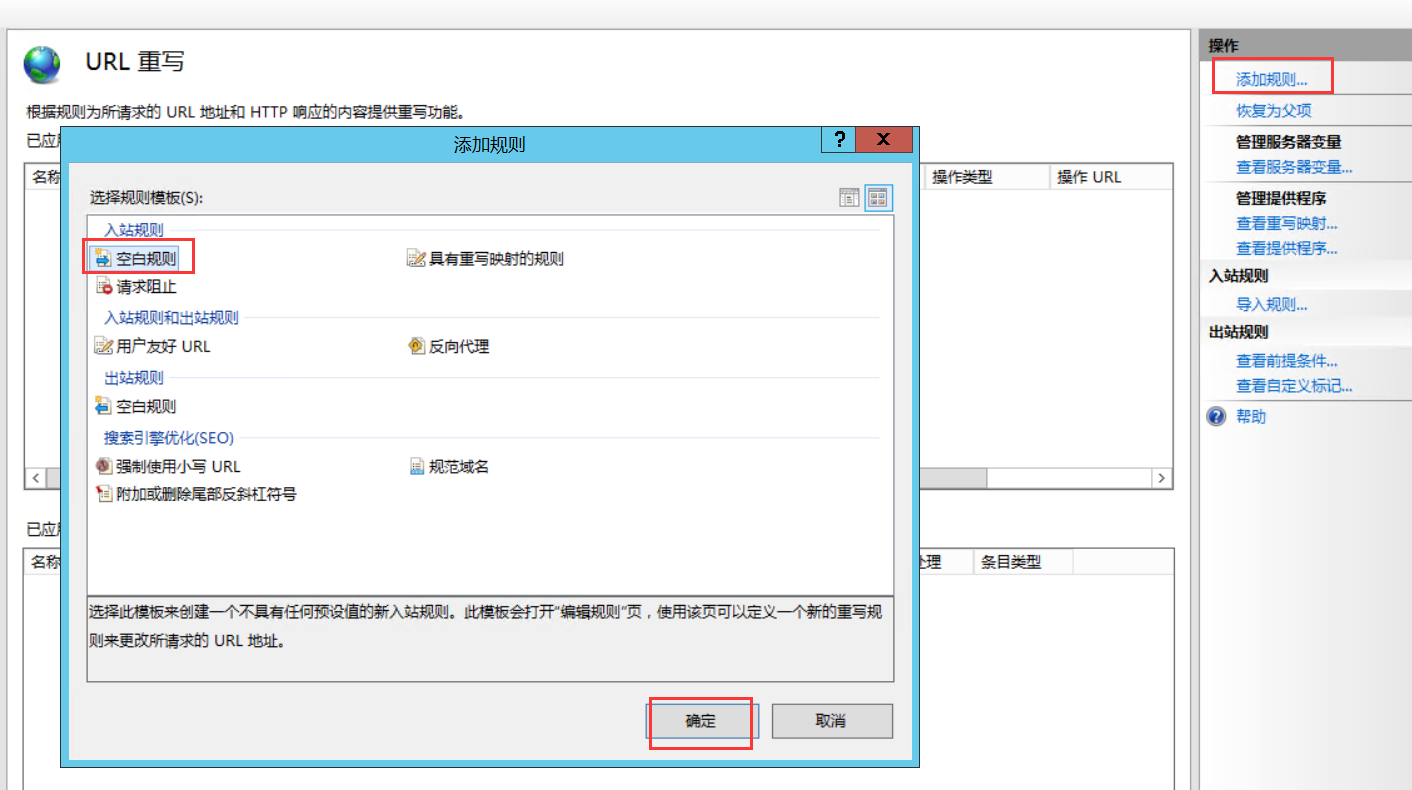
3、添加规则
名称:HTTP TO HTTPS
匹配URL模式:(.*)

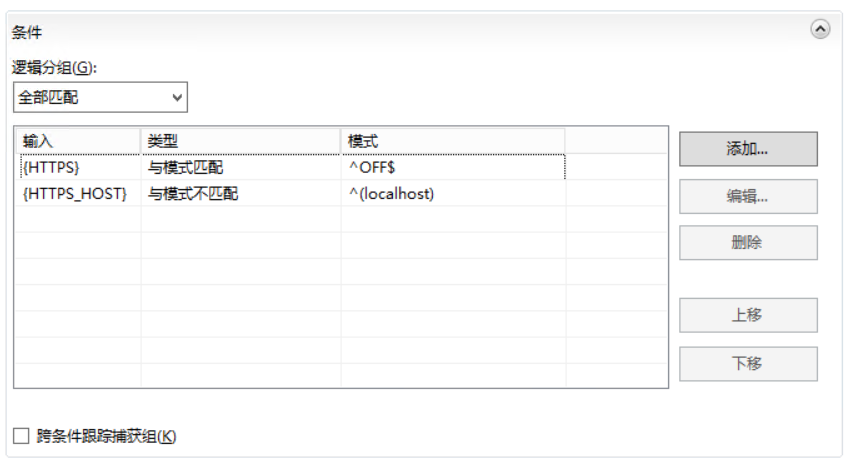
添加条件,条件中的逻辑分组:
输入 类型 模式 是否忽略大小写 备注
{HTTPS} 与模式匹配 ^OFF$ YES 此项用来匹配你的请求是HTTPS还是HTTP
{HTTPS_HOST} 与模式不匹配 ^(localhost) YES 如果你是本地的localhost不会重定向到SSL
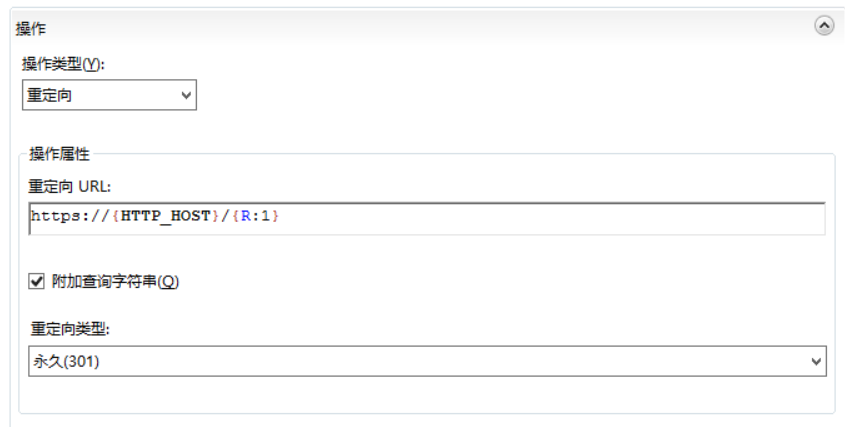
操作类型选择:重定向
重定向URL:https://{HTTP_HOST}/{R:1}
方式二:
如果是ASP.NET站点,可直接添加以下配置直接把伪静态添加到Web.config:
<configuration>
<system.webServer>
<rewrite>
<rules>
<rule name="HTTP to HTTPS redirect" stopProcessing="true">
<match url="(.*)" />
<conditions>
<add input="{HTTPS}" pattern="off" ignoreCase="true" />
</conditions>
<action type="Redirect" redirectType="Found" url="https://{HTTP_HOST}:4433/{R:1}" />
<!-- 注意:当使用默认HTTPS端口时,上面的端口号4433就不需要了,直接为 https://{HTTP_HOST}/{R:1} -->
</rule>
</rules>
</rewrite>
</system.webServer>
</configuration>


 鲁ICP备19063141号
 鲁公网安备 37010302000824号