
使用Owin技术部署轻量级webApi服务
- .Net
- 2020-03-13
- 253热度
- 0评论
一、需要大量的Nuget包
主要有:
1、owin
2、owin.hosting
3、webapi.owin
4、owin.host.httplistener
5、webapi.cors
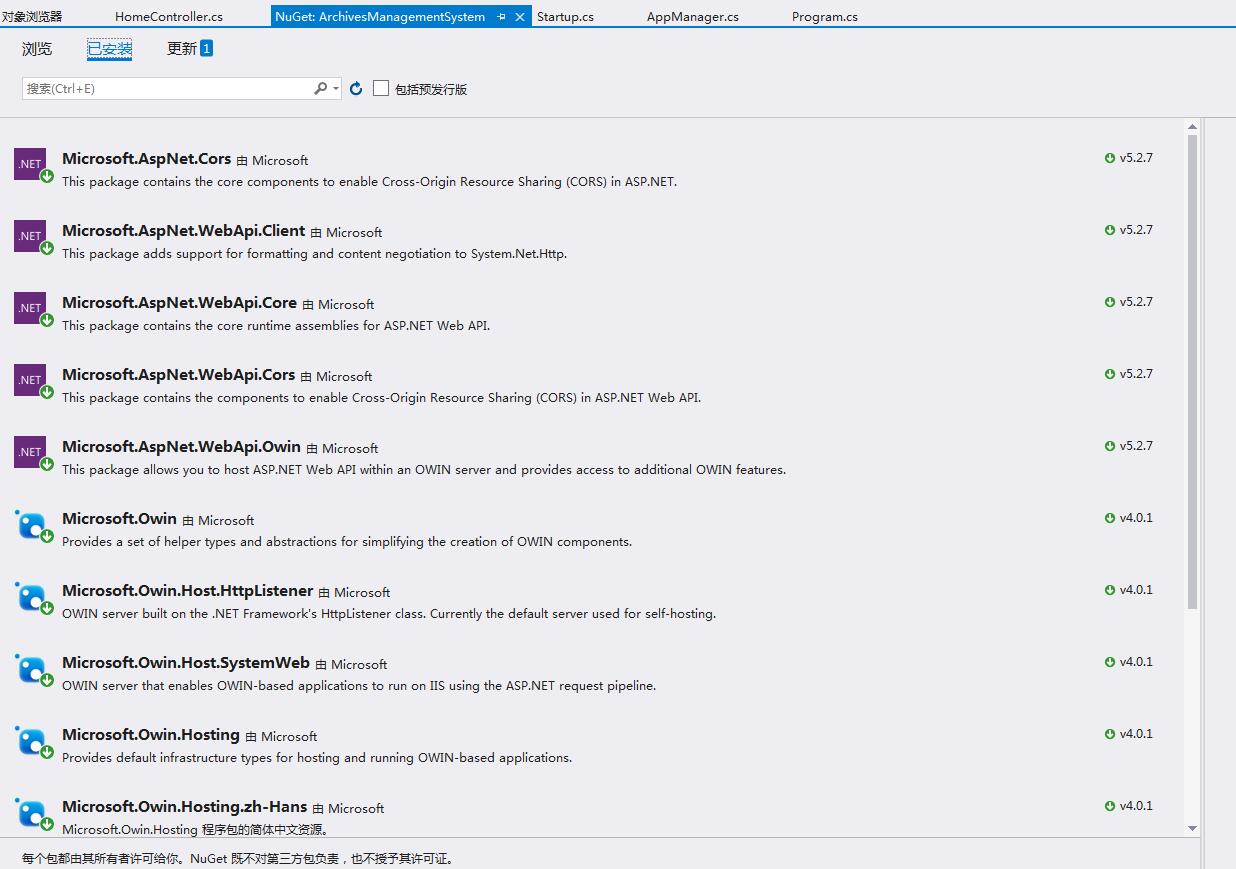
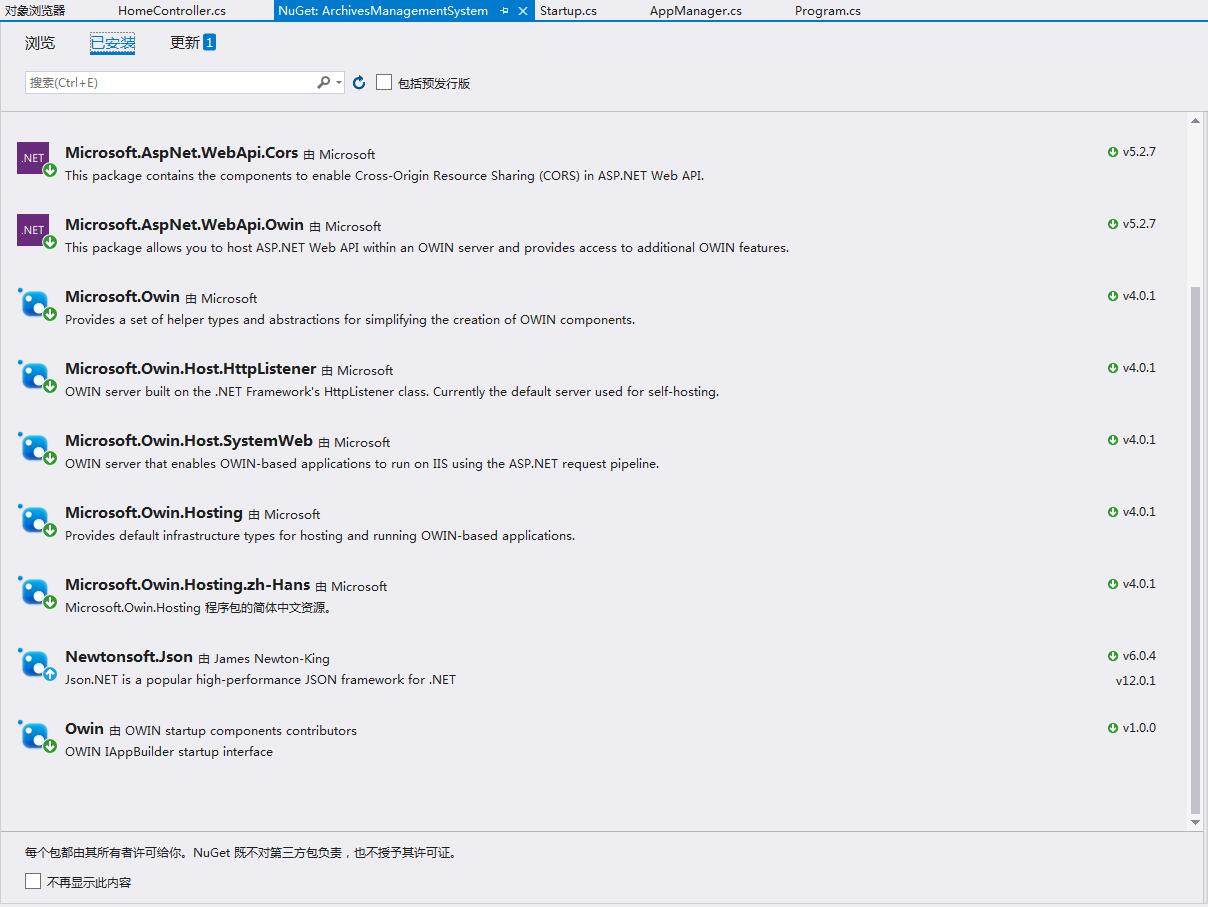
Nuget包之后会自动生成引用
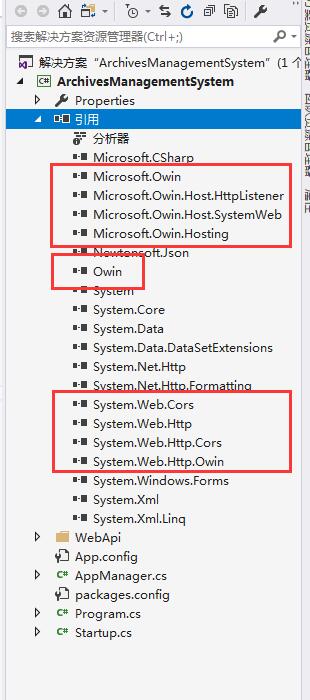
二、创建Startup类
该类用于实现webApi的各项配置
需要引用
using Owin;
using System.Web.Http;
using System.Web.Http.Cors;
using System.Net.Http.Headers;
public class Startup
{
//需要nuget owin、cors、hosting、listener
// This code configures Web API. The Startup class is specified as a type
// parameter in the WebApp.Start method.
/// <summary>
/// 配置webApi文本格式、路由规则、跨域规则等参数
/// </summary>
/// <param name="appBuilder"></param>
public void Configuration(IAppBuilder appBuilder)
{
// Configure Web API for self-host.
HttpConfiguration config = new HttpConfiguration();
config.Formatters.JsonFormatter.SupportedMediaTypes.Add(new MediaTypeHeaderValue("text/html"));
config.EnableCors(new EnableCorsAttribute("*", "*", "*"));//解决跨域问题,需要nuget Cors
config.Routes.MapHttpRoute(
name: "DefaultApi",
routeTemplate: "api/{controller}/{id}",
defaults: new { id = RouteParameter.Optional }
);
appBuilder.UseWebApi(config);
}
}
{
//需要nuget owin、cors、hosting、listener
// This code configures Web API. The Startup class is specified as a type
// parameter in the WebApp.Start method.
/// <summary>
/// 配置webApi文本格式、路由规则、跨域规则等参数
/// </summary>
/// <param name="appBuilder"></param>
public void Configuration(IAppBuilder appBuilder)
{
// Configure Web API for self-host.
HttpConfiguration config = new HttpConfiguration();
config.Formatters.JsonFormatter.SupportedMediaTypes.Add(new MediaTypeHeaderValue("text/html"));
config.EnableCors(new EnableCorsAttribute("*", "*", "*"));//解决跨域问题,需要nuget Cors
config.Routes.MapHttpRoute(
name: "DefaultApi",
routeTemplate: "api/{controller}/{id}",
defaults: new { id = RouteParameter.Optional }
);
appBuilder.UseWebApi(config);
}
}
三、编写启动WebApi服务的方法
需要引用
using Microsoft.Owin.Hosting;
using System.Net.Http;
/// <summary>
/// 初始化webApi
/// </summary>
private static void ApiInit()
{
try
{
//端口号
string port = "9100";
//电脑所有ip地址都启用该端口服务
string baseAddress = "http://+:" + port + "/";
////指定ip地址启用该端口服务
//string baseAddress = "http://192.168.0.70:" + port + "/";
//启动OWIN host
WebApp.Start<Startup>(url: baseAddress);
//打印服务所用端口号
Console.WriteLine("Http服务端口:" + port);
//创建HttpCient测试webapi
HttpClient client = new HttpClient();
//通过get请求数据
var response = client.GetAsync("http://localhost:" + port + "/api/home").Result;
//打印请求结果
Console.WriteLine(response);
Console.WriteLine("Http服务初始化成功!");
}
catch (Exception ex)
{
Console.WriteLine("Http服务初始化失败!");
Console.WriteLine(ex.ToString());
}
}
/// 初始化webApi
/// </summary>
private static void ApiInit()
{
try
{
//端口号
string port = "9100";
//电脑所有ip地址都启用该端口服务
string baseAddress = "http://+:" + port + "/";
////指定ip地址启用该端口服务
//string baseAddress = "http://192.168.0.70:" + port + "/";
//启动OWIN host
WebApp.Start<Startup>(url: baseAddress);
//打印服务所用端口号
Console.WriteLine("Http服务端口:" + port);
//创建HttpCient测试webapi
HttpClient client = new HttpClient();
//通过get请求数据
var response = client.GetAsync("http://localhost:" + port + "/api/home").Result;
//打印请求结果
Console.WriteLine(response);
Console.WriteLine("Http服务初始化成功!");
}
catch (Exception ex)
{
Console.WriteLine("Http服务初始化失败!");
Console.WriteLine(ex.ToString());
}
}
四、编写webApi测试接口例子
需要引用
using System.Web.Http;
调用的时候url是 http://localhost:9100/api/home
接口的命名规则是:接口名+Controller
public class HomeController:ApiController
{
public IHttpActionResult Get()
{
return Ok("Hello World!");
}
public void Post([FromBody]string value)
{
public void Put(int id, [FromBody]string value)
{
}
// DELETE api/values/5
public void Delete(int id)
{
}
}
{
public IHttpActionResult Get()
{
return Ok("Hello World!");
}
public void Post([FromBody]string value)
{
}
public void Put(int id, [FromBody]string value)
{
}
// DELETE api/values/5
public void Delete(int id)
{
}
}
五、调用启动web服务的方法
直接调用 ApiInit();
六、运行结果
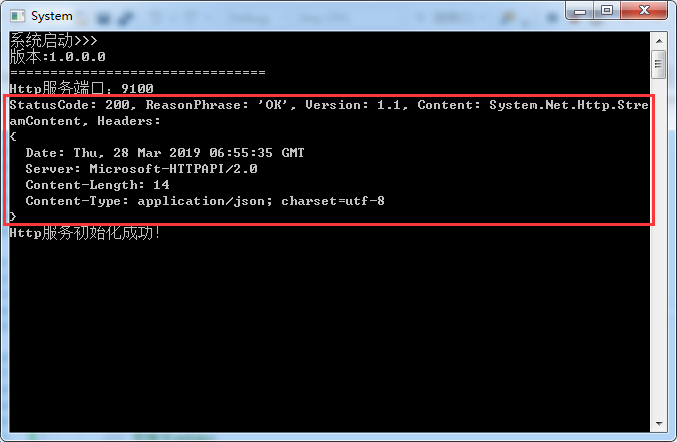
1、软件启动后的结果
因为启用的代码中直接请求了home接口所以有返回数据
//创建HttpCient测试webapi
HttpClient client = new HttpClient();
//通过get请求数据
var response = client.GetAsync("http://localhost:" + port + "/api/home").Result;
//打印请求结果
Console.WriteLine(response);
HttpClient client = new HttpClient();
//通过get请求数据
var response = client.GetAsync("http://localhost:" + port + "/api/home").Result;
//打印请求结果
Console.WriteLine(response);
2、使用浏览器测试结果
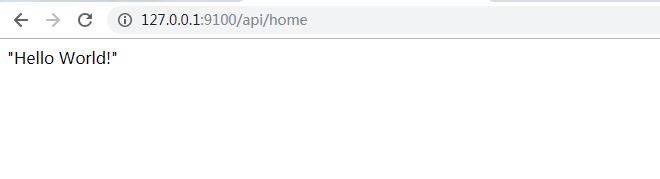
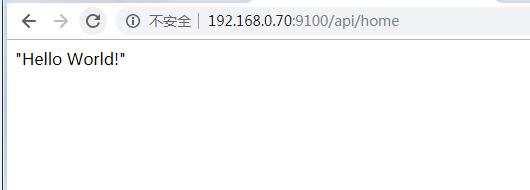
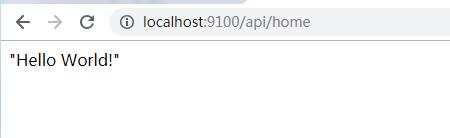
url格式是 http://{ip地址}:{端口号}/api/{接口名}/{id参数}
该格式可以通过Startup中的路由规则更改
ip地址:127.0.0.1
本机的ip地址
localhost
post、put等方法就自行测试吧
写在结尾:
主要难点就是各种nuget包的引用,少了其中一个就有可能会报错!
注意:如果在win7及以上的系统提示服务启动失败,需要以管理员身份运行软件来解决!

 鲁ICP备19063141号
 鲁公网安备 37010302000824号